Your browser could not start Mavowow

Update your browser, then reload this page. Mavowow supports Chrome and Edge 85 or later, Firefox 79 or later, and Safari and iOS Safari 14 or later.

Reload Mavowow

Mavowow did not finish loading

Check your network connection and reload this page. If the problem continues, clear your browser cache and try again.

Reload Mavowow

MavowowMavowow
HomeWorkspace
AI Ecommerce

Ecommerce tools

  • Product suiteTurn one product image into a complete listing suite
  • A+ contentTurn product benefits into detail-page modules
  • SKU batchCreate consistent SKU color and background variants
  • AI Product Photo Composition ReferenceCreate a product visual from a composition reference
  • Product retouchRefine product materials, lighting and clarity
  • Product recolorSpecify the target area and color for SKU variants
  • AI Product Background ChangerCreate a new product background from text or a reference
  • Outfit image setCreate white-background, dimensional, mannequin and campaign apparel sets
  • AI Fashion Model Photos from Clothing ImagesTurn a garment image into an on-model visual
  • AI Accessory Try-onTurn an accessory image into a natural on-model visual
  • Model pose changeChange a model pose with smart, text or reference controls
  • AI model face swapKeep the styling and scene while replacing the model face
  • AI shoe try-onTurn a shoe image into a focused try-on visual
Generation tasksPricing
API
Product updates
  • Oct 9NewNano Banana 2.1 is here, with a limited-time 50% discountWant to explore a new image or give an existing one a fresh look? Nano Banana 2.1 is now available for image generation and editing, with output up to 4K and a limited-time 50% discount.
  • Oct 712 new AI E-commerce tools for product photos and virtual try-onBuilding on the existing Product Suite, Mavowow now offers 12 more AI E-commerce tools for A+ Content, SKU images, product retouching, background replacement, apparel visuals, and virtual try-on. There are now 13 tools covering everyday e-commerce image creation.
View all updates
  • English
  • 中文
MavowowMavowow
APIChangelogHomeWorkspace
AI Ecommerce
  • Product suiteTurn one product image into a complete listing suite
  • A+ contentTurn product benefits into detail-page modules
  • SKU batchCreate consistent SKU color and background variants
  • AI Product Photo Composition ReferenceCreate a product visual from a composition reference
  • Product retouchRefine product materials, lighting and clarity
  • Product recolorSpecify the target area and color for SKU variants
  • AI Product Background ChangerCreate a new product background from text or a reference
  • Outfit image setCreate white-background, dimensional, mannequin and campaign apparel sets
  • AI Fashion Model Photos from Clothing ImagesTurn a garment image into an on-model visual
  • AI Accessory Try-onTurn an accessory image into a natural on-model visual
  • Model pose changeChange a model pose with smart, text or reference controls
  • AI model face swapKeep the styling and scene while replacing the model face
  • AI shoe try-onTurn a shoe image into a focused try-on visual
Generation tasksPricing
  • English
  • 中文
  1. AI Ecommerce
  2. /Ecommerce tool
    • Product suite
    • A+ content
    • SKU batch
    • AI Product Photo Composition Reference
    • Product retouch
    • Product recolor
    • AI Product Background Changer
    • Outfit image set
    • AI Fashion Model Photos from Clothing Images
    • AI Accessory Try-on
    • Model pose change
    • AI model face swap
    • AI shoe try-on

AI Product Photo Composition Reference

Examples illustrate creative directions. Review product details, text and source rights before listing. Try-on visuals do not establish physical fit.

01

Upload images

Upload both the product image and the visual reference

Product imageRequired; preserves the product
Reference imageRequired; follows the composition and visual direction
02

Clone settings

Set clone strength, aspect ratio, and additional requirements

Clone strength

Composition, lighting, color palette and background atmosphere

Output ratio
0 / 200
Cost—

Summer sale poster

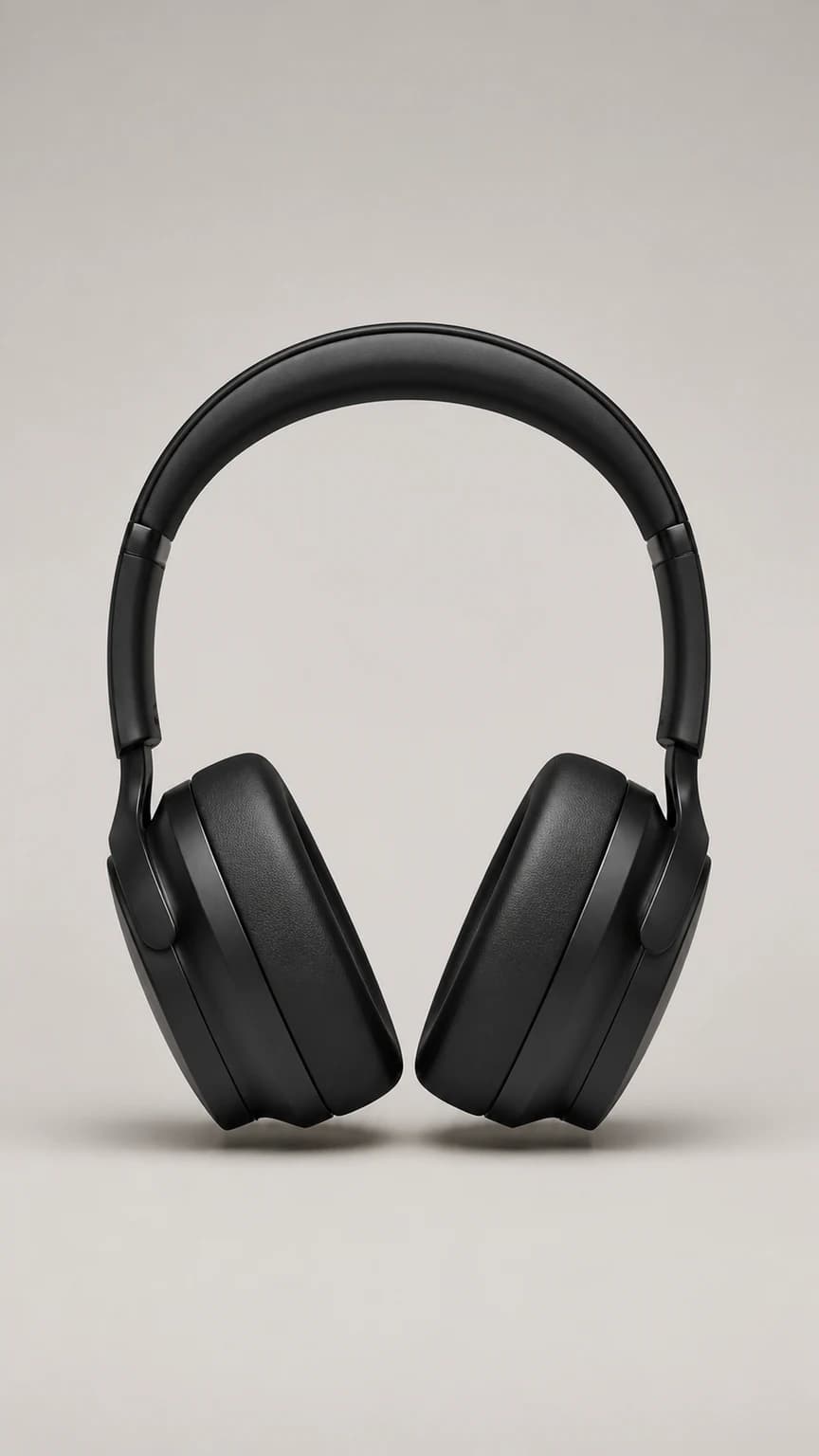
  1. Matte black over-ear headphones product image
    Product
    →
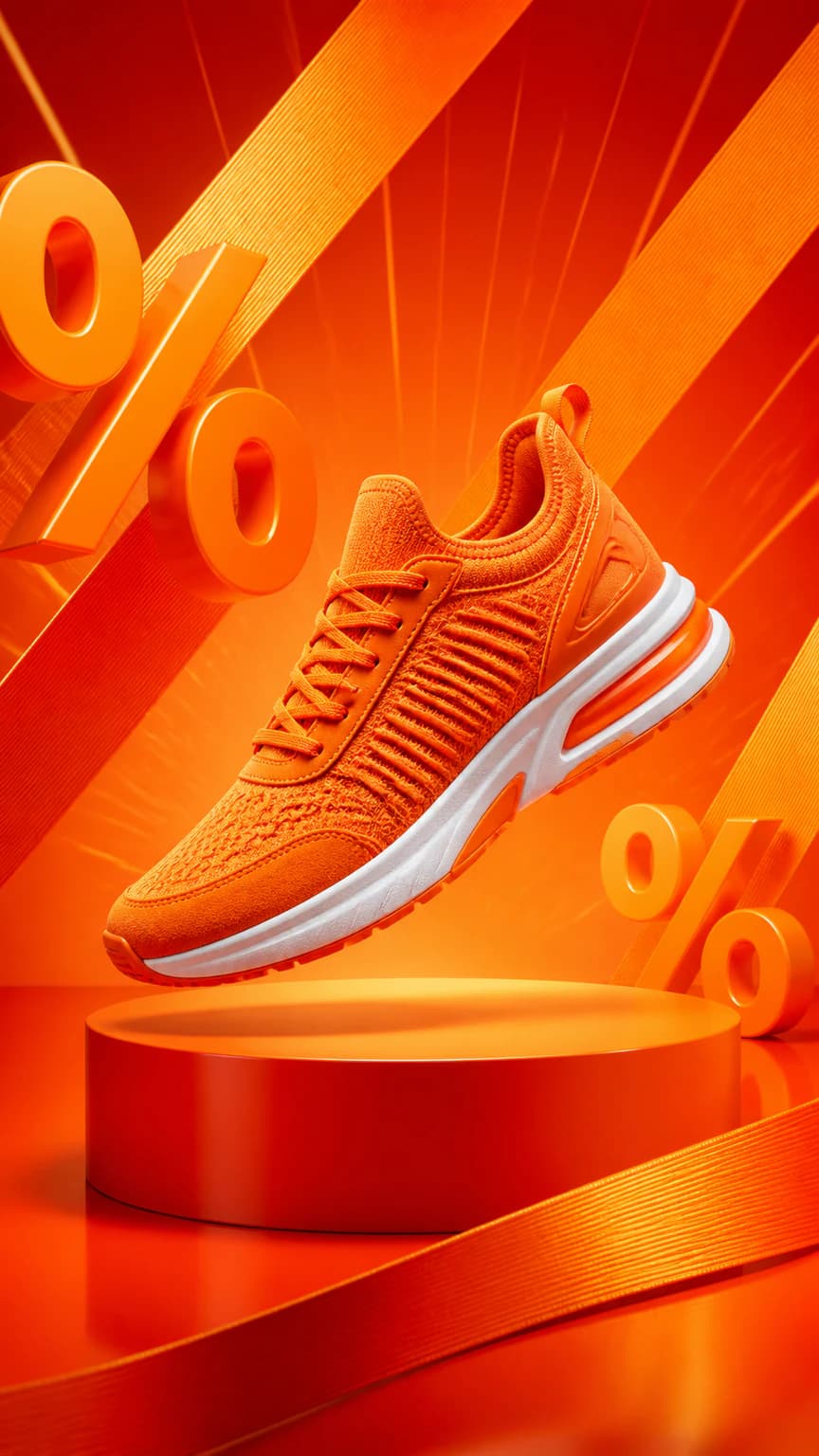
  2. Orange sneaker sale poster reference
    Reference
    →
  3. Black headphones recreated in the sale poster direction
    Result

Recent clones

Loading recent results
FAQ

Frequently asked questions

Upload your product image and the visual reference, choose a reference strength, and describe the layout, light or setting to follow and what to replace. The tool creates a new product visual from those inputs. Your own references should establish product shape, packaging and color, rather than importing the reference product's logos or specifications.

The product image should clearly show your item's shape, packaging, color and visible details. The visual reference supplies composition, light, palette or background direction. Upload one of each. Do not supply only someone else's finished image and expect the model to know your product, especially when the reference contains a different item.

Composition strength focuses on layout and subject placement. Balanced adds lighting, palette and background mood. High also emphasizes the background and visual hierarchy. Start with Composition when mainly borrowing placement while retaining your own direction; increase strength for a closer overall expression, checking for unwanted reference elements.

You can use another category as a composition or style direction, but assess whether its spatial relationships suit your product. A dynamic diagonal shoe layout may not suit an upright glass bottle. Prefer compatible perspective, volume and support, and describe product placement rather than copying visual appearance alone.

Separate what to retain from what to replace. For example: keep the pedestal and left-side light, use my amber bottle, and exclude the reference label, text and extra bottles. Inspect outlines, logos, packaging text and item counts at full size to ensure the result does not blend two products.

Use the poster with your product image and notes to guide a similar layout, palette and lighting direction. Its headings, offers, sales figures and prices are not facts about your product, and generated text needs checking. Make precise text or layout edits after downloading when needed, and ensure you have the relevant reference permissions.

Reference-based Background Changer is more direct for a similar environment, surface or mood. Use Composition Reference when also borrowing subject placement, layout, lighting or visual hierarchy. Identify the elements you actually need to reduce unnecessary product changes and repeated adjustments.

Identify whether the issue is composition, lighting, setting or the product. Adjust reference strength, choose a reference with a more compatible perspective and supporting surface, and specify what to retain or exclude. Do not accept an inaccurate product merely for a closer visual match; verify shape, material, logos and item count against your own product evidence.