Your browser could not start Mavowow

Update your browser, then reload this page. Mavowow supports Chrome and Edge 85 or later, Firefox 79 or later, and Safari and iOS Safari 14 or later.

Reload Mavowow

Mavowow did not finish loading

Check your network connection and reload this page. If the problem continues, clear your browser cache and try again.

Reload Mavowow

MavowowMavowow
HomeWorkspace
AI Ecommerce

Ecommerce tools

  • Product suiteTurn one product image into a complete listing suite
  • A+ contentTurn product benefits into detail-page modules
  • SKU batchCreate consistent SKU color and background variants
  • AI Product Photo Composition ReferenceCreate a product visual from a composition reference
  • Product retouchRefine product materials, lighting and clarity
  • Product recolorSpecify the target area and color for SKU variants
  • AI Product Background ChangerCreate a new product background from text or a reference
  • Outfit image setCreate white-background, dimensional, mannequin and campaign apparel sets
  • AI Fashion Model Photos from Clothing ImagesTurn a garment image into an on-model visual
  • AI Accessory Try-onTurn an accessory image into a natural on-model visual
  • Model pose changeChange a model pose with smart, text or reference controls
  • AI model face swapKeep the styling and scene while replacing the model face
  • AI shoe try-onTurn a shoe image into a focused try-on visual
Generation tasksPricing
API
Product updates
  • Oct 9NewNano Banana 2.1 is here, with a limited-time 50% discountWant to explore a new image or give an existing one a fresh look? Nano Banana 2.1 is now available for image generation and editing, with output up to 4K and a limited-time 50% discount.
  • Oct 712 new AI E-commerce tools for product photos and virtual try-onBuilding on the existing Product Suite, Mavowow now offers 12 more AI E-commerce tools for A+ Content, SKU images, product retouching, background replacement, apparel visuals, and virtual try-on. There are now 13 tools covering everyday e-commerce image creation.
View all updates
  • English
  • 中文
MavowowMavowow
APIChangelogHomeWorkspace
AI Ecommerce
  • Product suiteTurn one product image into a complete listing suite
  • A+ contentTurn product benefits into detail-page modules
  • SKU batchCreate consistent SKU color and background variants
  • AI Product Photo Composition ReferenceCreate a product visual from a composition reference
  • Product retouchRefine product materials, lighting and clarity
  • Product recolorSpecify the target area and color for SKU variants
  • AI Product Background ChangerCreate a new product background from text or a reference
  • Outfit image setCreate white-background, dimensional, mannequin and campaign apparel sets
  • AI Fashion Model Photos from Clothing ImagesTurn a garment image into an on-model visual
  • AI Accessory Try-onTurn an accessory image into a natural on-model visual
  • Model pose changeChange a model pose with smart, text or reference controls
  • AI model face swapKeep the styling and scene while replacing the model face
  • AI shoe try-onTurn a shoe image into a focused try-on visual
Generation tasksPricing
  • English
  • 中文
  1. AI Ecommerce
  2. /Ecommerce tool
    • Product suite
    • A+ content
    • SKU batch
    • AI Product Photo Composition Reference
    • Product retouch
    • Product recolor
    • AI Product Background Changer
    • Outfit image set
    • AI Fashion Model Photos from Clothing Images
    • AI Accessory Try-on
    • Model pose change
    • AI model face swap
    • AI shoe try-on

AI Fashion Model Photos from Clothing Images

Examples illustrate creative directions. Review product details, text and source rights before listing. Try-on visuals do not establish physical fit.

01

Upload image

Upload clothing and choose an AI or custom model

Model source
Clothing imagePreserve the clothing design, color, and material
02

Model settings

Set model traits, aspect ratio, and additional requirements

Gender
  • Default
  • Infant
  • Child
  • Teen
  • Young adult
  • Middle-aged
  • Senior
  • Default
  • Western
  • Chinese
  • Other Asian
  • African descent
  • Latino
  • Standard
  • Slim
  • Muscular
Output ratio

Add pose, scene, lighting, or other visual requirements

0 / 200
Cost—

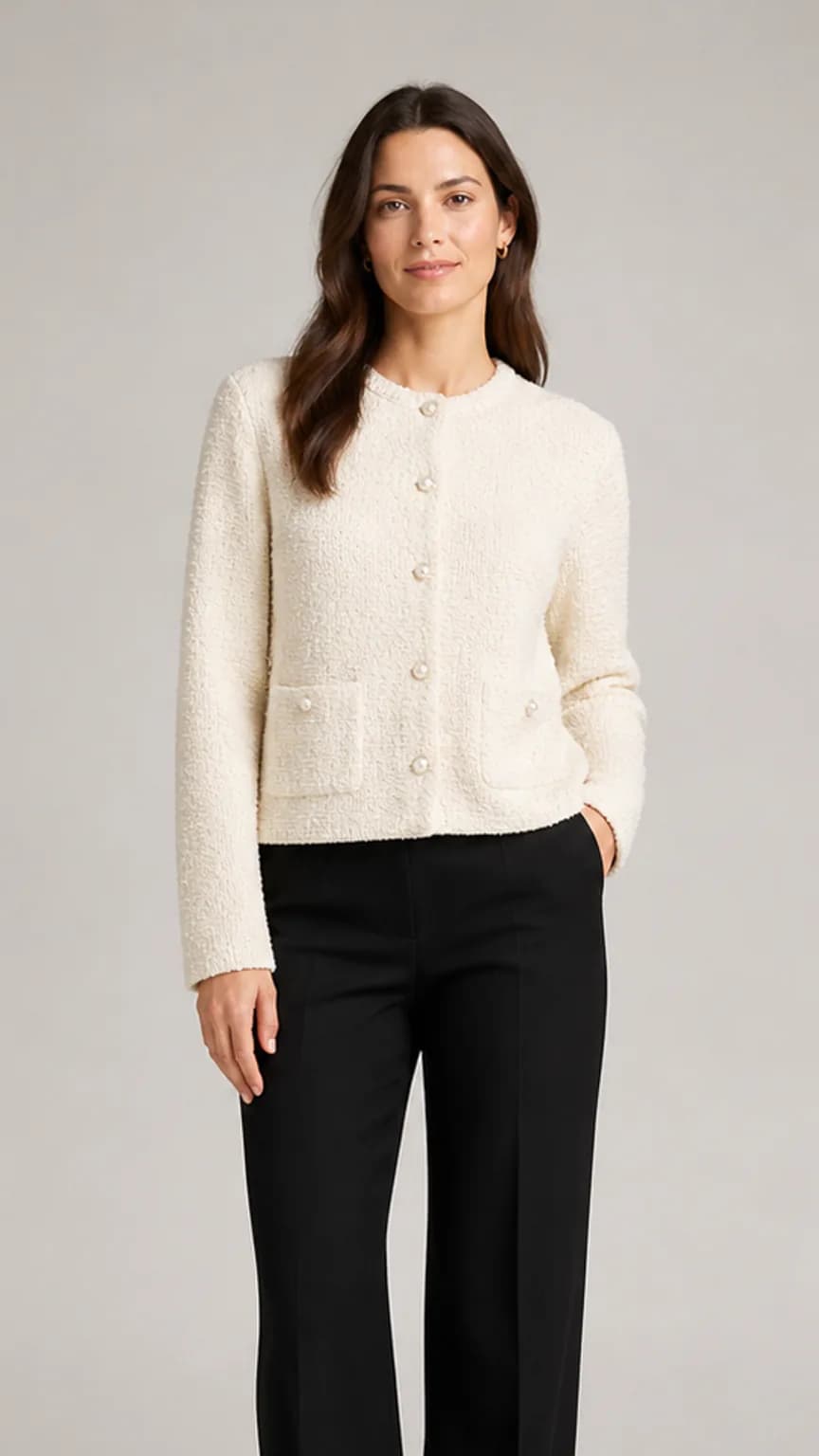
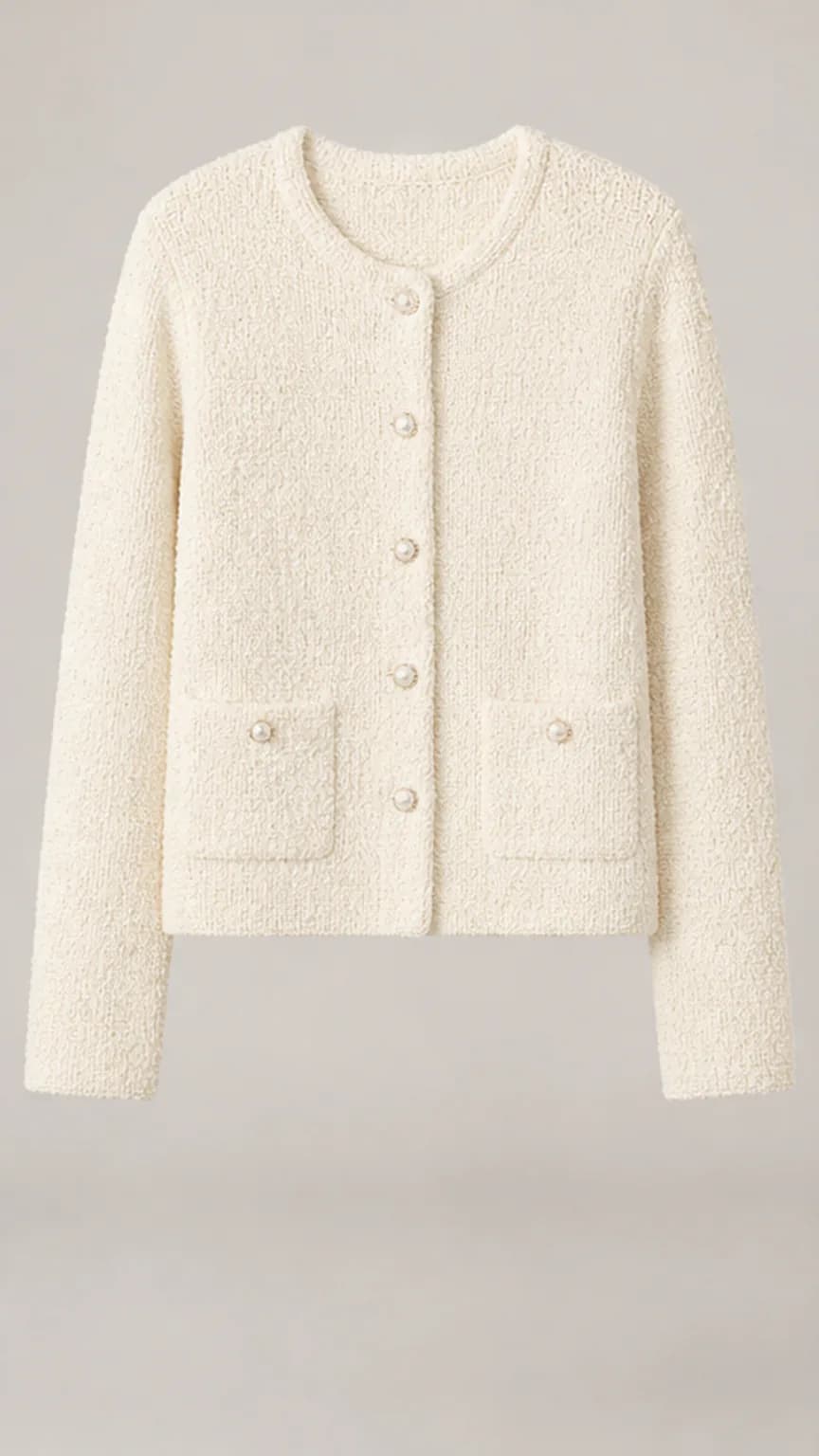
Cream knit workwear

  1. Cream boucle cardigan clothing image
    Clothing
    →
  2. Adult female model wearing the same cream boucle cardigan
    Model result

Recent results

Loading recent results
FAQ

Frequently asked questions

Upload one clothing image and select an AI model with the desired traits; a real model reference is not required in that mode. Choose custom mode when you have a specific person image. Review the garment design and wearing details after generation.

Prefer complete outlines, clear necklines and cuffs, visible fabric details and a simple background. Flat-lay, hanger and mannequin photos can all provide references when the product is identifiable; the shooting style alone does not guarantee results. Replace images with folds hiding construction, hangers obscuring necklines or confusing multi-person styling.

AI model mode offers gender, age group, appearance and body-type settings without a separate person photo. Custom mode requires a model image as a reference. Use custom mode for a particular person, or AI mode when an audience-appropriate model direction is sufficient.

Use the optional notes for pose, scene and light directions, up to 200 characters. For example: full-body front-facing stance, show shoulders and trouser length, natural indoor side light, no added accessories. Prioritize instructions that help present the product and avoid conflicting styling directions.

Choose a photo that clearly shows the body areas needed for the garment. A full-body image helps present dresses, trousers or complete outfits; a top still needs space for shoulders, torso and sleeves. Heavy occlusion or cropped garment areas require especially careful output review.

Use a detailed garment reference and emphasize essential construction, such as six buttons, chest lettering and cuff stripes without an added belt. Compare print count, placement, seams and weave after generation. Instructions guide the edit but do not guarantee every detail remains unchanged.

Fashion Model Photos focuses on turning a garment reference into a human model presentation. Use Outfit Image Set to organize several types of apparel asset, such as white-background, dimensional, mannequin, detail and benefit images. Produce each as needed; one model image does not replace a complete apparel listing set.

No. The generated body shape and garment proportions are visual representations, not measurements or real try-on records. Garment length, chest size, trouser length and fit advice should come from product data, measurements or actual try-ons. Model imagery can illustrate style without proving how a particular size fits a real body.